Google Play Store Tips Android Users for Saving Data and Battery | Its 3 settings will save your phone's data and battery, know how to apply
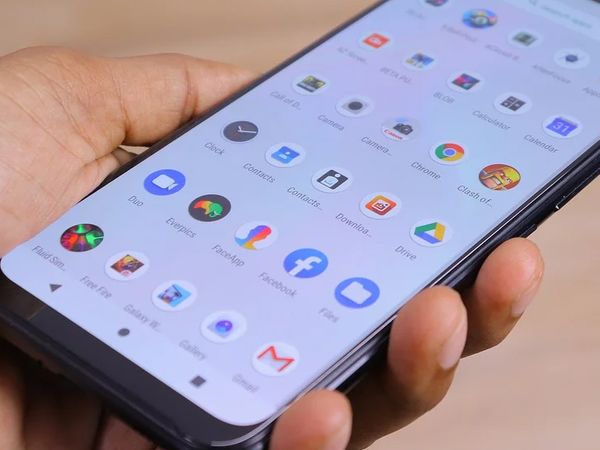
If you have an Android smartphone, then the work of Google Play Store must be done. Users can install their favorite and work related apps from the Play Store itself. There are some settings in the App Store that, if ignored, the data and battery of the phone also run out fast. However, by changing these settings, you can eliminate the problem of data and battery.
Setting number-1
How to save data from play store
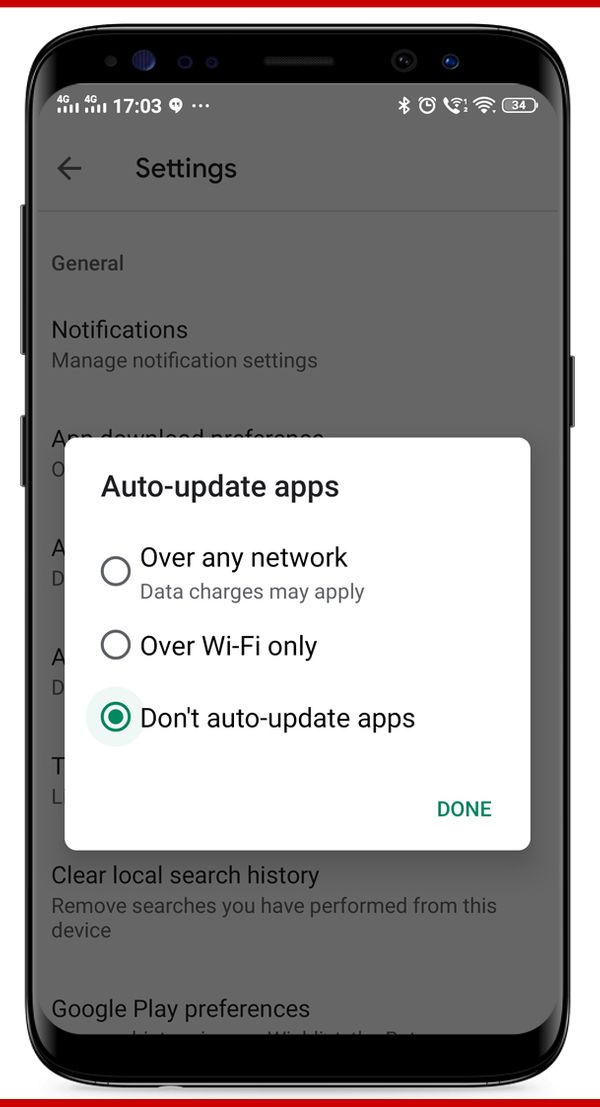
If your phone's internet data expires fast and you are not aware of this, then for this you will have to make some changes in the settings of the Play Store. For this, go to the settings of the Play Store and go to 'Auto-update apps'. Select 'Don't auto-update apps' here. If you have selected over any network then as soon as the update of the app comes, it will auto update. This eliminates data and battery.
Setting number-2
How to save phone battery
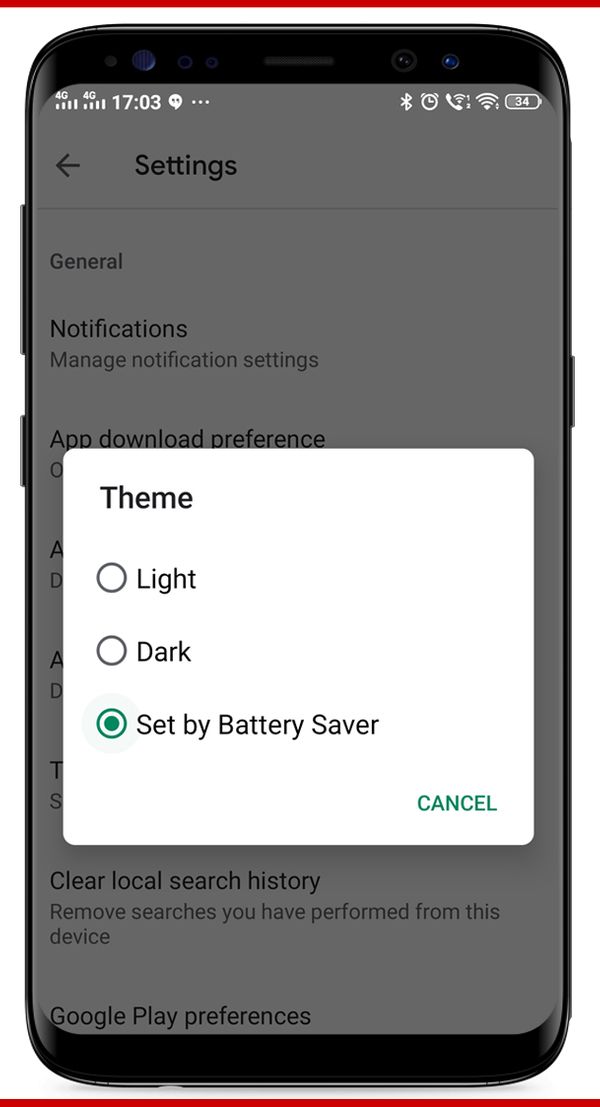
If you use the Play Store more and it drains the phone's battery faster, then you will have to change a setting here as well. For this, go to Settings and tab on 'Theme', then select 'Set by Battery Saver'. This setting will cause the battery to be less discharged during play store use.
Setting number-3
How to protect play store
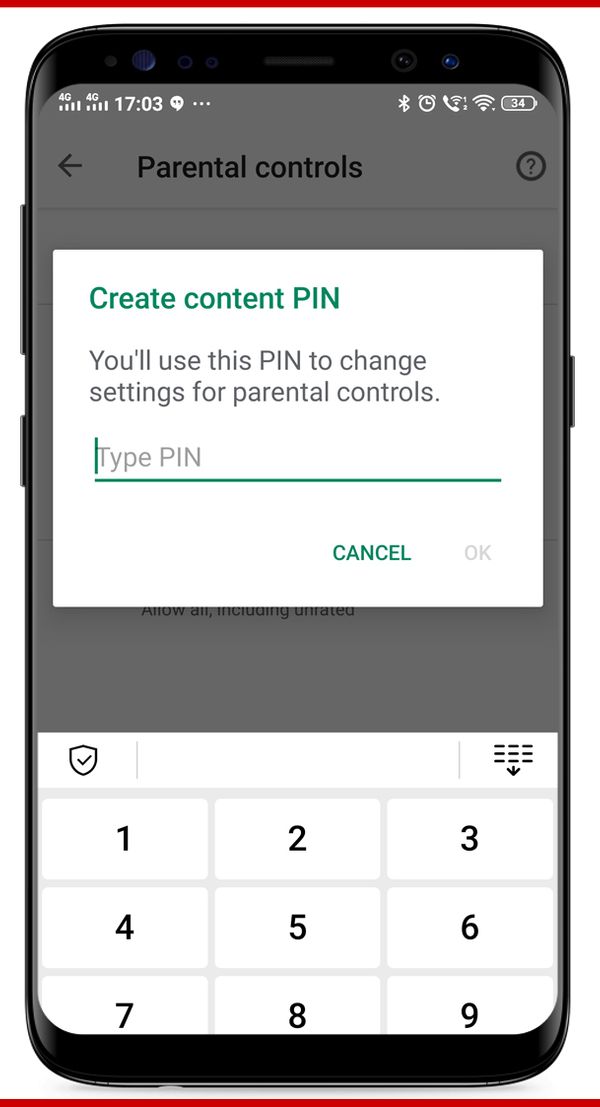
If you are afraid that someone may install an app secretly while using your phone. Or your children can install an app in it, then the play store can be locked. For this, you have to go to Settings and go to 'Parental Control'. Here, as soon as you turn on the control, you will have to enter a 4 digit password. As soon as the password is set, the Play Store will ask for the password when it is opened.


Comments
Post a Comment